Friday, January 27, 2012

Lisp Program to Print Fibonocci Series upto a user specified Limit

The following is a lisp program to print the Fibonacci series up to a user specified limit.

 (defun fibonacci()  
 (format t "Enter the limit : ")  
 (setf n(read))  
 (format t "Fibonacci Series : ")  
 (format t "0 1")  
 (setf a 0)  
 (setf b 1)  
 (do ((i 3(+ i 1))) ((> i n))  
  (setf c (+ a b))  
  (format t " ~d" c)  
  (setf a b)  
  (setf b c)))  

The folowing program produces the Output

OUTPUT

Enter the limit : 8
Fibonacci Series  : 0 1 1 2 3 5 8 13


Do you Really need a Tablet?Tablet vs SmartPhone vs Laptop

Tablets have become most common in today's market that people see it as necessary gadget.Have ever you wondered why you need a tablet or Do you even need a tablet?
If you have a laptop or a smartphone do you need to buy a tablet.Get the answers below.


                        Laptop vs Tablet vs SmartPhone


You Should decide if you need one by taking into account of the intended usage.It also depends on you and your habits.


Videos/Multimedia:
Most tablets offer a decent 5-10 Inch Screen Size,which allows you to watch HD Videos,Photos Easily and Comfortably rather than straining your eyes on the small screen of a smartphone.So tablets are way ahead when compared to smartphones in this aspect.But if you have a laptop apart from the portability and ease of use you can watch Videos or HD Content in it.So its your Call.


Document Viewing:
Viewing PDF's and Word Documents are much easier when compared to Smart Phones.But with Touch screen typing in will be a little harder,so here laptop is better if you let go of the portability.


Gaming:
 Tablets are not that into high end games moreover gaming in a touch screen may be a little annoying.


Surfing the Web:
If you have a WIFI Hotspot you can browse the web from anywhere,tablets offers ease of web surfing by allowing you to slide through the webpages with your fingers.Tablets stand out for Web browsing way ahead of laptops and smartphones.


So,The Conclusion?


Can a Tablet replace a Smart Phone?
Yes.Tablets are good alternatives to smartphones if you are looking for a device that is focused for multimedia applications like viewing Videos,Photos , Browsing the Web or Viewing PDF's or E books.

Can a Tablet replace a Laptop?
The answer is a No .You cannot do Programs or Develop applications on a tablet you might also find difficult editing images and Documents on a Touch Screen.But if you are using your laptop for Viewing Videos,Browsing the Internet or Reading E-Books then the Tablet is For you.


Thursday, January 12, 2012

Operator Overloading in C++ to add,substract,multiply and divide two Complex Numbers

Operator Overloading is a technique of polymorphism by which an operator(+,- etc) can be used to do different types of operations. eg:+ can be used to add two integers say a and b using sum=a+b similarly two floating point numbers say fa,fb by fs=fa+fb. In this example +,-,*,- operators are overloaded to add,subtract, multiply and divide two complex numbers. First a class named complex is created which has overloaded operators like + specified by a function 'complex operator +(complex c2)' which can used to add two complex numbers like c3=c1+c2 where c1,c2 and c3 are complex numbers.The complete source in C++ to implement operator overloading is provided below
 #include<iostream.h>  
 #include<conio.h>  
 class complex  
 {  
 int a,b;  
 public:  
 void read()  
 {  
 cout<<"\n\nEnter the REAL PART : ";  
 cin>>a;  
 cout<<"\n\nEnter the IMAGINARY PART : ";  
 cin>>b;  
 }  
 complex operator +(complex c2)  
 {  
 complex c3;  
 c3.a=a+c2.a;  
 c3.b=b+c2.b;  
 return c3;  
 }  
 complex operator -(complex c2)  
 {  
 complex c3;  
 c3.a=a-c2.a;  
 c3.b=b-c2.b;  
 return c3;  
 }  
 complex operator *(complex c2)  
 {  
 complex c3;  
 c3.a=(a*c2.a)-(b*c2.b);  
 c3.b=(b*c2.a)+(a*c2.b);  
 return c3;  
 }  
 complex operator /(complex c2)  
 {  
 complex c3;  
 c3.a=((a*c2.a)+(b*c2.b))/((c2.a*c2.a)+(c2.b*c2.b));  
 c3.b=((b*c2.a)-(a*c2.b))/((c2.a*c2.a)+(c2.b*c2.b));  
 return c3;  
 }  
 void display()  
 {  
 cout<<a<<"+"<<b<<"i";  
 }  
 };  
 void main()  
 {  
 complex c1,c2,c3;  
 int choice,cont;  
 do  
 {  
 clrscr();  
 cout<<"\t\tCOMPLEX NUMBERS\n\n1.ADDITION\n\n2.SUBTRACTION\n\n3.MULTIPLICATION\n\n4.DIVISION";  
 cout<<"\n\nEnter your choice : ";  
 cin>>choice;  
 if(choice==1||choice==2||choice==3||choice==4)  
 {  
 cout<<"\n\nEnter the First Complex Number";  
 c1.read();  
 cout<<"\n\nEnter the Second Complex Number";  
 c2.read();  
 }  
 switch(choice)  
 {  
 case 1     : c3=c1+c2;  
            cout<<"\n\nSUM = ";  
            c3.display();  
            break;  
 case 2     : c3=c1-c2;  
            cout<<"\n\nResult = ";  
            c3.display();  
            break;  
 case 3 : c3=c1*c2;  
            cout<<"\n\nPRODUCT = ";  
            c3.display();  
            break;  
 case 4     : c3=c1/c2;  
            cout<<"\n\nQOUTIENT = ";  
            c3.display();  
            break;  
 default     : cout<<"\n\nUndefined Choice";  
 }  
 cout<<"\n\nDo You Want to Continue?(1-Y,0-N)";  
 cin>>cont;  
 }while(cont==1);  
 getch();  
 }  

Tuesday, December 20, 2011

C Program to Perform First Come First Serve Process Sheduling


First Come First serve is a Processes scheduling algorithm in which the process which arrives first gets System Resources First.The process with the least arrival time gets the system system resources first followed by processes with higher arrival time.


Waiting Time:
The Time Process has to wait in the ready list to get the system resources for its execution


Execution Time:
The time the process requires to perform the computation.


Turn Around Time:
The Total Time the Process Requires for completion waiting time+Execution Time


The following is a C Program Source Code of a First Come First Serve algorithm implementation.The processes are scheduled according to the arrival time and finally the waiting time and turn around time of the processes are calculated.


 #include<stdio.h>  
 void main()  
 {  
  int i,ex[20],tr[20],wt[20],n,ar[20];  
  int j,k,temp,od[20];  
  float b=0,c=0;  
  printf("\n Enter the number of processes : ");  
  scanf("%d",&n);  
  for(i=0;i<n;i++)  
  {   
  printf(" P%d = ",i+1);  
  printf("\n Excecution time : ");  
  scanf(" %d",&ex[i]);  
  printf("\n Arrival time : ");  
  scanf("%d",&ar[i]);  
  }  
 for(i=0;i<n;i++)  
  od[i]=ar[i];  
  for(i=0;i<n;i++)  
  for(j=i+1;j<n;j++)  
  {  
   if(ar[i]>ar[j])  
   {  
   temp=ar[i];  
   ar[i]=ar[j];  
   ar[j]=temp;  
   }  
  }  
  for(j=0;j<n;j++)  
 {  
  for(i=0;i<n;i++)  
  {  
  if(ar[j]==od[i])  
   {   
    if(j==0)  
    {  
     wt[i]=ar[j];  
     b=wt[i];  
     tr[i]=ex[i];  
     c=tr[i];  
     break;  
    }  
    wt[i]=temp-ar[j]+ar[j-1];  
    b=b+wt[i];  
    tr[i]=ex[i]+wt[i];  
    c=c+tr[i];  
    break;  
   }  
  }  
  temp=tr[i];  
 }   
  b=b/n;  
  c=c/n;  
  printf("\n ORDER NAME ARRIVAL-TIME EX.TIME WAITING-TIME TURN-AROUND-TIME \n");  
  for(j=0;j<n;j++)  
  for(i=0;i<n;i++)  
  {  
  if(ar[j]==od[i])  
  {  
  printf("  %d  P%d\t %d      %d\t   %d\t\t  %d ",j+1,i+1,ar[j],ex[i],wt[i],tr[i]);  
  printf("\n");  
  break;  
  }  
  }  
  printf("Average waiting time = %f \n Average turn around time = %f \n",b,c);  
 }  


Saturday, December 10, 2011

What is Abstraction?The Concept of Abstraction Simplified.


What is Abstraction in Object Oriented Programming?
Abstraction can be formally defined as the representation of an object including the specification of that object in a certain context.Abstraction is a powerful means to tackle the complexity of programming by wrapping up and thus reducing the complexity of complex operations.

Abstraction is used in OOP(Object Oriented Programming) Languages like Java,C++ etc.These OOP Languages employ an abstract entity called class from which instance of that class called object can be created.Data and Code are Binded together in a syntactic container called Object.

These statements can be little confusing for beginner's so read the rest of the post to get a better view of abstraction.


Abstraction Defined in a Simple way :

The concept of abstraction is a little confusing of beginner's.

To understand the concept of abstraction easily consider a cactus which has lots of spines placed in box.You can easily carry the box without knowing that a cactus is in it.But it is difficult to carry the cactus with bare hands.Thus Abstraction serves as a box to wrap up the complexities.


In programming subprograms are examples of abstractions,as they can be used to perform a function without knowing the internal details.eg: a function named add(int a,int b) can be used to add two integers and produce a result by simply using the code add(1,2) in the program.The internal details of the function that performs addition is not known to the programmer or to the main program.These details are abstracted and this provides a higher level view.


Abstraction simplifies programming as the programmer needs to focus only on the task he has to perform rather that the internal details of the program.Abstraction are provided in Libraries(.dll) for different operations.

Abstraction is implemented commonly in programming languages by using an data type called class.Objects are Instances of a class 

eg:Car is a class Audi,Mercedes etc are Objects of the class named car


 Each Object is an a clone of the an abstraction(class),it posses all the traits of class eg:Mercedes and Audi are two brands of cars but they posses all the characters of a the main class car.Thus they are Objects created from the Abstraction Car.The term Car is used to Abstract or wrap up the internal details like engine,wheels,brakes etc in a single container  named car.


Data Hiding is a Concept of Abstraction by which the Code and the Data in an Object(Instance of an Abstract Data type usually referred to as class) is hidden from the external entities. 

Saturday, December 3, 2011

Round Robin Process Sheduling Algorithm and Example Source Code in C

Round robin is the most widely used process scheduling algorithm .The basic strategy for round robin scheduling is that if there are n process,each of the process will receive 1/n CPU Execution Time.Each process is allotted a  time quanta, for which its is executed.The incoming processes are kept in a ready list while another one is executing.If the time quanta allotted for a process is over,then that process is moved to ready and the next process in the ready list is executed for the allotted time quanta.The Complete Example Implementation Source Code in C of Round Robin Algorithm to schedule N Processes and to calculate the Execution,wait time and turn around time is given below.
 #include<stdio.h>  
 void main()  
 {  
  int n,i,k,x=0,s=0,r=0,q=0,x=0,a[30],e[30],t[30];  
  float m,p=0;  
  printf("Enter the number of process:");  
  scanf("%d",&n);  
  printf("Enter the execution time:");  
  for(i=0;i<n;i++)  
  {  
  scanf("%d",&a[i]);  
  e[i]=a[i];  
  }  
  printf("Enter the quanta:");  
  scanf("%d",&q);  
  printf("After round robin sheduling:");  
  for(i=0;i<n;i++)  
  {  
  if(x<a[i])  
  {  
   x=a[i];  
  }  
  }  
  k=x/q;  
  while(s<=k)  
  {   
  for(i=0;i<n;i++)  
  {  
   if(a[i]>0)  
   {  
   if(a[i]>q)  
   {  
   r=r+q;  
   a[i]=a[i]-q;  
   printf("P%d\t",i+1);  
   }  
  else  
  {  
   r=r+a[i];  
   a[i]=a[i]-q;  
   printf("P%d ",i+1);  
   t[i]=r;  
  }  
  }  
 }  
 s++;  
 }  
 printf("\nPROCESS EXECUTION TIME  WAIT TIME  TURN AROUND TIME\n");  
 for(i=0;i<n;i++)  
 {  
  printf(" %d \t\t %d\t\t %d\t\t %d\t\t \n",i,e[i],x,t[i]);  
  x=x+q;  
 }  
 m=x/n;  
 printf("Average waiting time=%f",m);  
 printf("Average turn around time=");  
 for(i=0;i<n;i++)  
 p=p+t[i];  
 p=p/n;  
 printf("%f",p);  
 }  

Thursday, December 1, 2011

How to create Self Extracting Executable using iexpress wizard


Windows has an inbuilt utility called iexpress that can be used to create self extracting archives or executables.IEXPRESS is used for the creation and distribution of self extracting exectables or setups or Packages.
Iexpress can be used easily to create your own setup or self extracting file that extracts and runs the desired program .Following is a step by step instructions for creating self extracting executable using the iexpress wizard.

  • Go to run type in iexpress.exe


  • The iexpress wizard will open up,where you need to configure your setup or self extracting executable


  • Select create a new self extracting directive as you are creating a new self extracting archive once your setup is configured you can save the SED( self extracting directive)

  • Now select the type of Self Extracting Executable from the next iexpress windows,Select the Option 'Extract Files Only'.You can try out other options later.


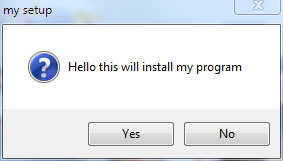
  • Enter the Title eg: my setup

  • Enter the Welcome Message

  • Choose if you want to display a license before the installation,This will be shown before the installation begins.Text files can be used for this purpose.


  • Then add the required files that should be installed or extracted by the self extracting executable.I add some photos then proceed to  the next step.


  • In the next Window select the style of the setup

  • Enter the Message to show after extraction is complete 

  • Choose the Path to save the Self extracting executable or the Package that you are about to create
  • Choose if you want to save the configuration as a SED file for future use


  • Wait for the Creation to complete.


  • All Done!Open your own self extracting executable created with iexpress


Which is the Best Photo Watermarking Software

Photo Theft is becoming more and more common in the web with the outburst of social websites like Facebook,Google Plus and Image sharing se...